When a controller has gone off-line and is uncontactable, sometimes it requires a manual re-boot by physically removing the power supply.
You will need to:
- Locate the controller (normally in a white, square box).
- Have a crosshead/Phillips screwdriver handy to open the box.
Please follow the below steps to reboot:
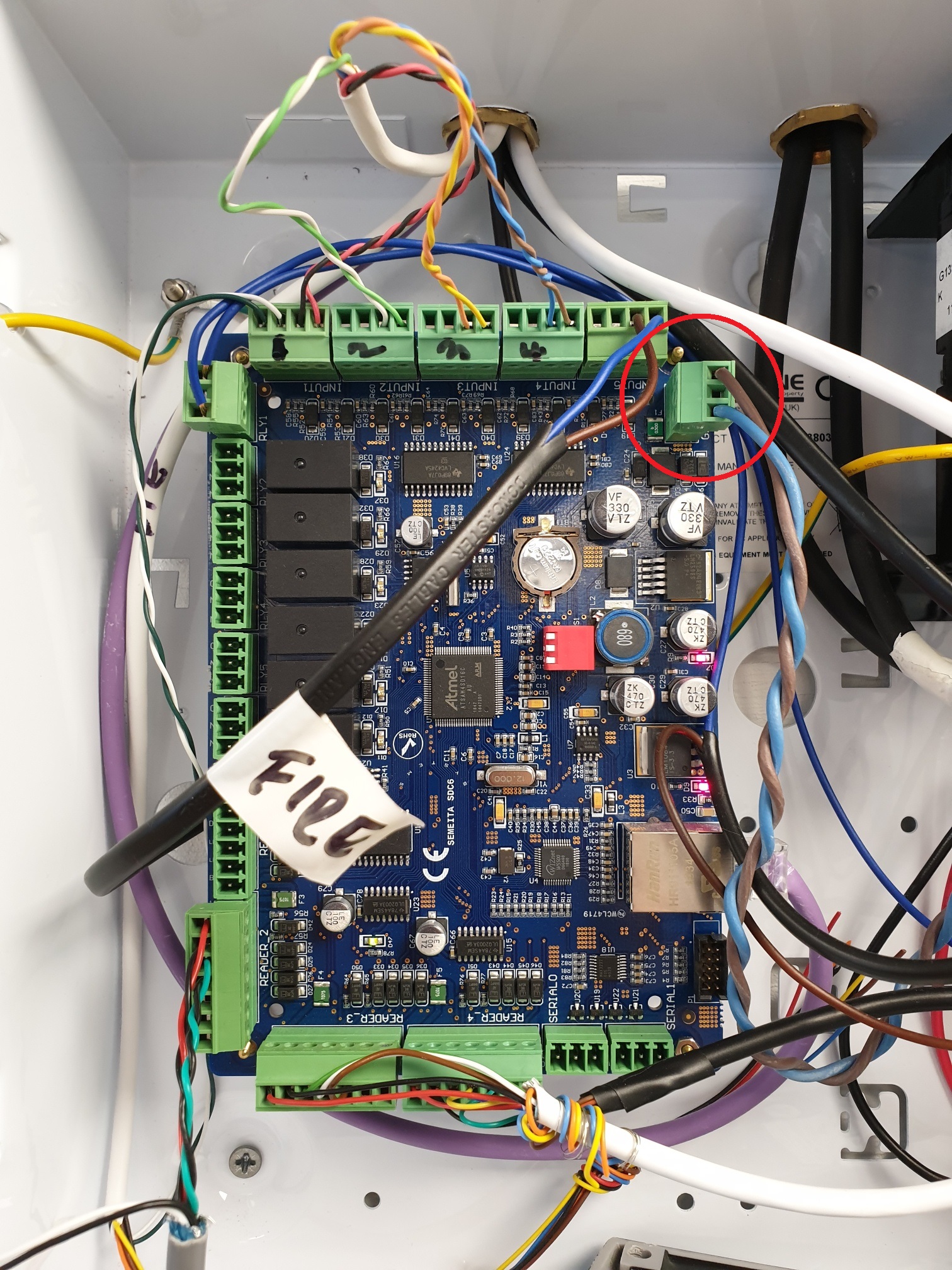
- Open the controller box and locate the power input cable (see below photo with red circle indicating the cable):
2. Holding the board with one hand, pull out the green connector so it looks like the below photo:
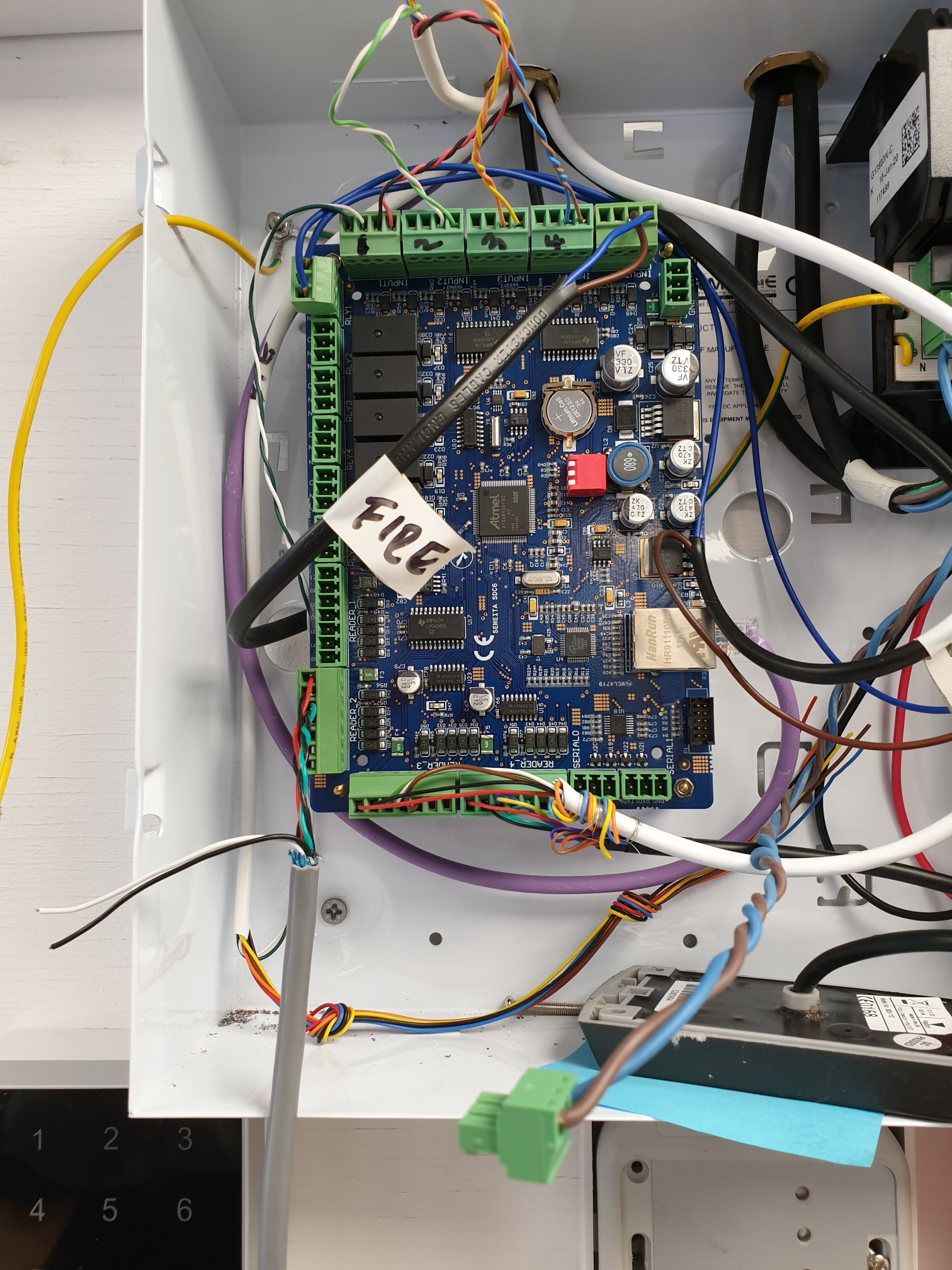
3. Leave for 30 seconds and then reconnect the cable to restore power.
The controller should now have rebooted, and as long as there are no other hardware faults (the reader being faulty, comms cable unplugged or router offline, or controller issue) you should now see the controller from the web interface and/or events coming back in Semieta.
Please contact support@accessitdata.com if you require further help.