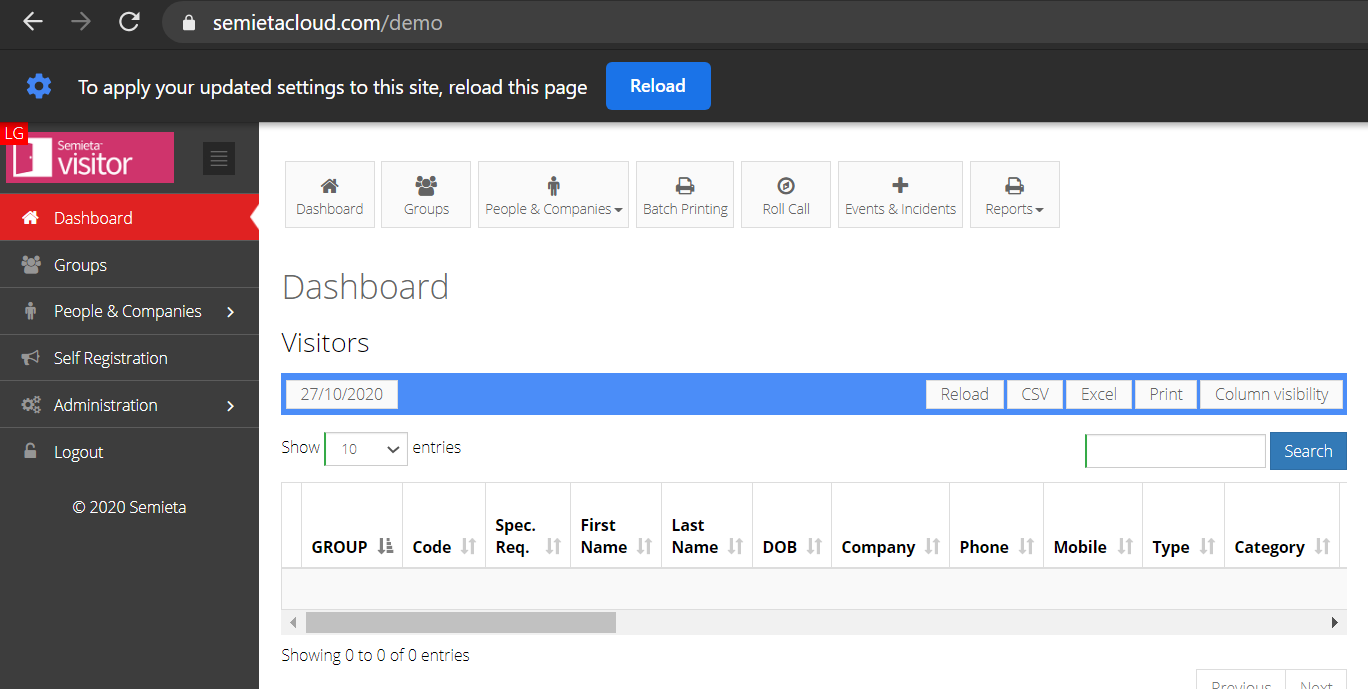
Depending on your browser, please ensure the below steps are followed to enable your webcam.
Chrome:
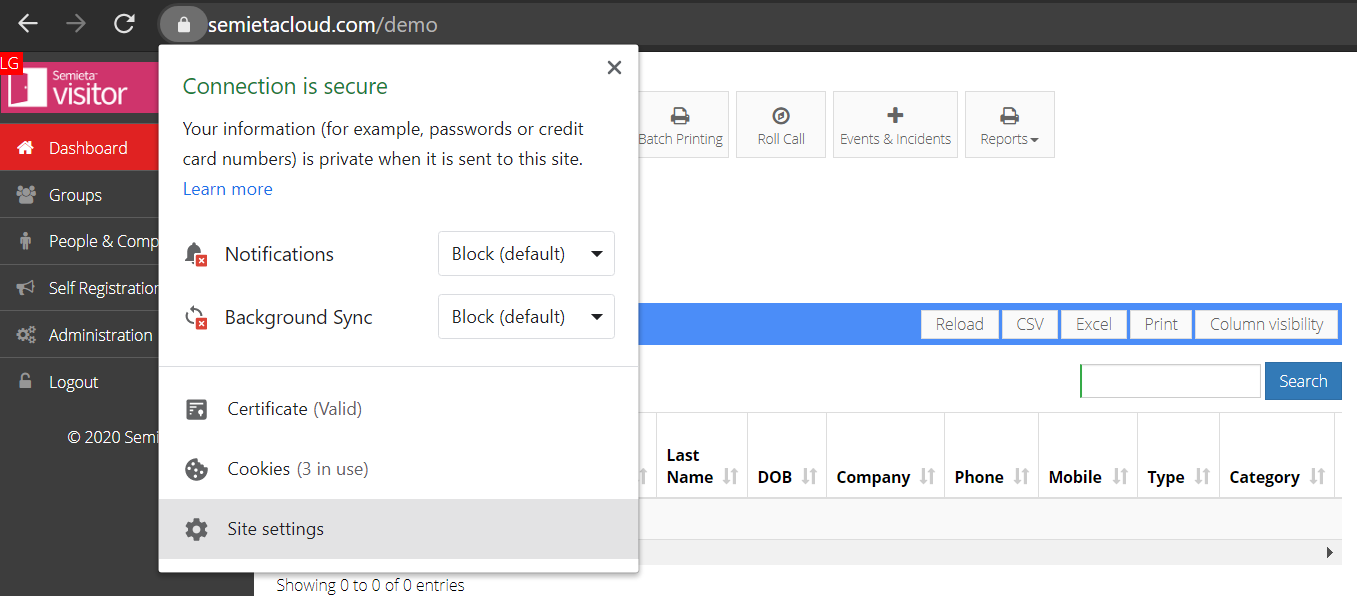
- Click on the lock symbol, next to the URL in the top browser window. Click Site settings which will open in a new tab or window.
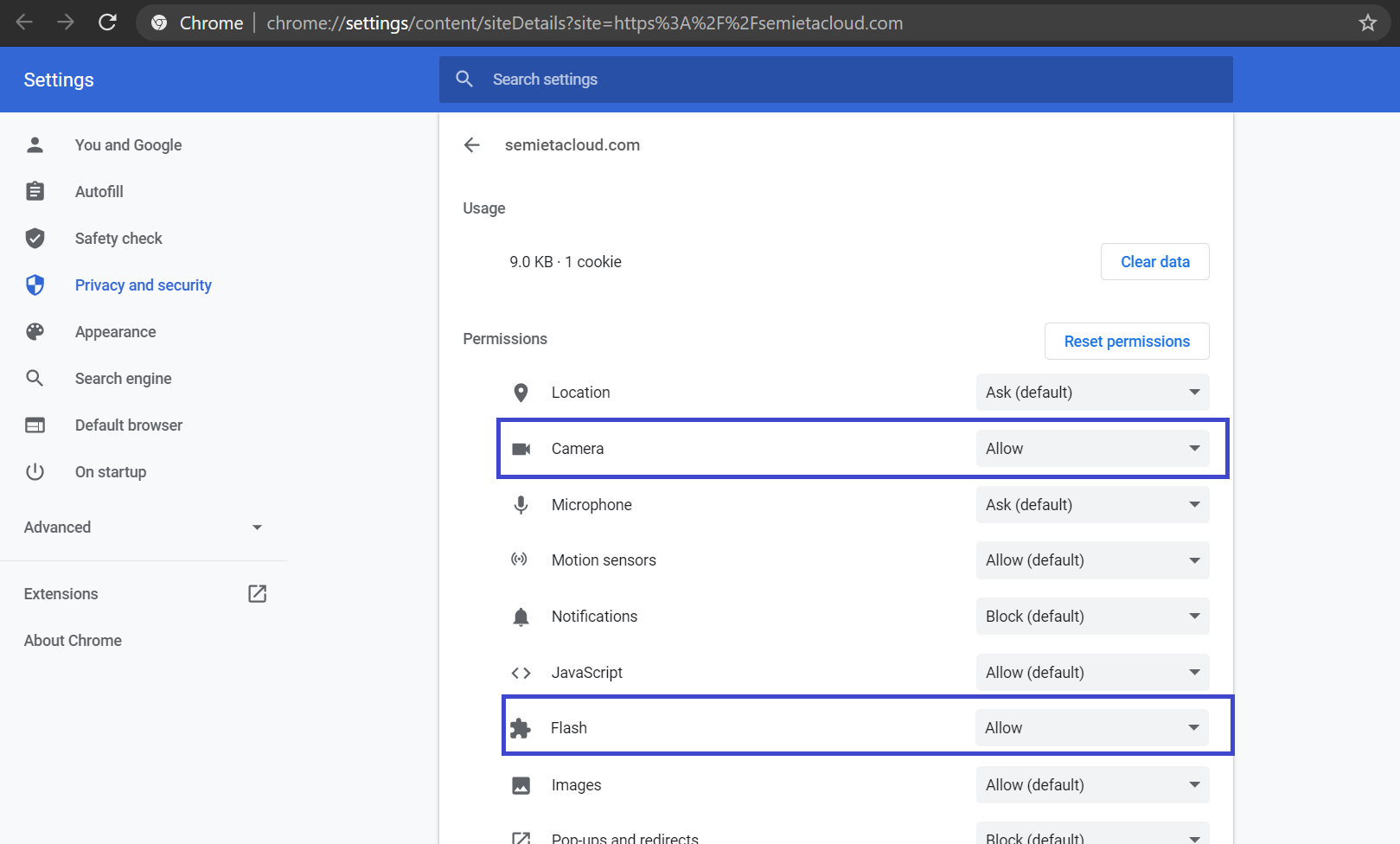
- Make sure Flash is set to Allow is set for Camera & Flash.
- Click Reload for your Semietacloud.com site.